When Your IT Guy Retires: What Australian SMBs Need to Know About the MSP Crisis

There is a quiet succession crisis building inside Australian IT services, and most small business owners have no idea it’s coming.

Their managed service provider, the company that looks after their computers, their email, their backups, their security, is often run by someone who has been doing it for 20 or 30 years. That person is in their late 50s or 60s. They are thinking about retirement. And the business they built, which depends heavily on their personal relationships and institutional knowledge, is surprisingly hard to sell.

This is not a niche concern. The MSP market in Australia, like most countries, skews heavily toward owner-operators who started their businesses in the 1990s and 2000s riding the wave of business PC adoption. That wave is now cresting into a succession event.

What happens when an MSP sells or closes

There are three typical outcomes when a small MSP exits:

Acquisition by a larger MSP or private equity. This is increasingly the most common exit. Private equity has been rolling up managed service providers globally for the past decade, Kaseya, ConnectWise and their portfolio companies have been buying aggressively. In Australia, the same pattern is playing out at a smaller scale. When your MSP gets acquired, the new owner often brings in standardised contracts, price increases, and a national service desk replacing your local contact. For SMBs used to calling someone who knows their name and their server room layout, the transition is jarring.

The owner retires and closes. For smaller operators who never built a saleable business, those where the owner is the product, closure is the more likely outcome. When that happens, their SMB clients are left scrambling. Passwords in someone’s head. Vendor relationships that evaporate. Backup systems nobody else knows how to restore. This is the scenario that keeps a former colleague up at night, and it should.

The owner transitions the business to AI-augmented services. This is the best outcome for SMBs. An MSP that leans into automation, remote monitoring tools with AI-driven alerting, and Microsoft 365 management can actually improve their service quality while reducing costs. Some will make this shift. Many won’t.

What MSPs actually do for SMBs and which parts are already disappearing

Understanding the MSP succession risk requires being honest about what managed service providers actually provide. It is not a monolithic thing.

The traditional MSP bundle included:

  • Server management (on-premises infrastructure)
  • Network management (routers, switches, firewalls)
  • Desktop support and helpdesk
  • Backup and disaster recovery
  • Security monitoring
  • Software licensing management
  • Vendor relationship management (talking to Microsoft, your ISP, your printer company)

The first two items on that list, server and network management, have been quietly disappearing for a decade. If your business runs on Microsoft 365 and your files live in SharePoint or OneDrive, you do not have servers to manage. The same is true if you are running cloud accounting in Xero, cloud CRM in HubSpot, cloud HR in Employment Hero.

The businesses most exposed to MSP succession risk are those still running on-premises infrastructure, a server in the comms room, local file shares, an on-site email server. Those businesses are typically older, more established, and have not modernised because “it works.” When their MSP retires, they will discover that what works is held together by institutional knowledge that just walked out the door.

The AI factor

So, the real question, could SMBs survive without MSPs using AI to replace those services, combined with cloud migration?

For a significant slice of SMBs, the answer is probably yes, eventually.

Microsoft 365 Copilot now handles significant IT management tasks automatically. Security alerts, access management, compliance monitoring. Google Workspace does similar. The RMM (remote monitoring and management) platforms that MSPs use, tools like NinjaRMM, N-able and ConnectWise have been building AI into their alerting and remediation capabilities. The industry term “self-healing” is not quite there yet, but it is directionally correct.

The gap that AI does not close, and will not close quickly, is judgement. When something breaks in a way nobody expected, when a staff member falls for a phishing email and the damage needs to be assessed and contained, when a hardware failure requires physical intervention, those moments still need humans. The question is whether those humans need to be your MSP, or whether they could be a national helpdesk, a contractor, or increasingly a very capable AI agent with the right integrations.

What Australian SMBs should do about this

Know where your IT actually lives. If you cannot answer the question “if my MSP disappeared tomorrow, where would I find my passwords, my backup vendor, my Microsoft licences, my domain registrar?”, you have a dependency that needs documenting. Ask your MSP for a full IT asset register. Any good operator will provide one willingly. Reluctance to share it is a red flag.

Understand your on-premises exposure. Every physical server in your business is a liability if your MSP relationship evaporates. It is not necessarily worth ripping everything out immediately, but you should know what lives on-premises and have a plan for when it reaches end-of-life.

Find out what your MSP’s succession plan is. This is an awkward conversation, but it is a reasonable one. A professional operator will have thought about this. If they have not, that tells you something.

Move cloud-ward deliberately. Not all at once, and not because cloud is automatically better. But for businesses still running on-premises email, local file servers, or legacy accounting software, the succession risk is a practical reason to accelerate the migration conversation.

Build direct relationships with your key vendors. Microsoft, your internet provider, your backup vendor. Know how to contact them without going through your MSP. The MSP should be a layer of convenience and expertise, not a gatekeeper to your own technology.

The bigger question

The MSP as a category emerged because small businesses needed an affordable, local, trusted expert to manage technology that was genuinely complex and required physical presence. That model made complete sense in 2000.

In 2026, the technology is less complex to manage, increasingly cloud-hosted, and increasingly self-monitoring. The physical presence requirement is lower. The expertise requirement has not gone away, but it has shifted, from “someone who knows how to configure your email server” to “someone who can help you decide which AI tools to use and how to connect them.”

That is a different kind of MSP. Some of the existing ones will make the transition. Many will not.

The succession crisis is real. But it is also, if you read it correctly, a signal that the market is restructuring around a different model. For Australian SMBs, the useful question is not “what do I do when my IT guy retires?” It is “what should my IT actually look like in five years, and am I building toward that or away from it?”


6 Weeks, 666 Posts, 1 AI Agent: What I Actually Learned

Six weeks ago, I started a content site while on a career break.

I wasn’t planning to write hundreds of articles. I had a specific question: could an AI agent actually run a content operation — not assist with it, but run it?

The answer, six weeks and 666 posts later, is: mostly yes. With caveats.

What the agent actually does

Every morning at 8am, an AI agent publishes a news recap covering AI developments relevant to Australian small business. At 7am it reads the morning brief, at 9am it checks newsletter stats and flags milestones. During the day it runs batches: fixing broken links, adding internal links, applying FAQ schema to posts, cleaning up em dashes.

On Fridays it runs a full SEO review — pulls Google Search Console data, identifies CTR opportunities, and sends a summary to Telegram.

It built over 200 profiles of Australian AI companies. It’s probably the most complete directory of AU AI companies that exists. It did that by researching each company, writing a structured profile, publishing it, and adding it to a master guide page — all without me having to do anything except occasionally fix mistakes.

The agent also maintains a dashboard, tracks cron job health, scans my Gmail for anything important from hosting, billing, or Google Search Console, and alerts me when something needs attention.

I mostly direct it. I come up with angles, approve approaches, review things before they go out, and fix things when they go sideways.

What I got wrong early on

In the first few weeks I let the agent publish as fast as it could. Some days that was 40-50 posts. It felt like momentum.

It wasn’t. The posts were thin. The internal links were incomplete. Google didn’t trust the site, and rightly so. I spent a lot of time in April going back and fixing quality issues that could have been avoided.

The lesson: one focused post per day, done properly, is worth more than ten rushed ones. The agent now follows a daily minimum — one how-to or automation guide, plus the automated news recap. That’s it. Everything else is upside.

Bing AI noticed before Google did

The most surprising metric has been Bing AI citations. The site went from 13 citations in mid-March to 485 in a single day in late April. Total: over 4,200 citations across 115+ pages.

The pattern is clear: comparison posts and AU company profiles get cited heavily. The Stripe vs Square vs Tyro comparison has 289 citations. The Flare HR profile has 512. Google Search Console shows the site is indexed and getting impressions, but Bing has been faster to treat it as an authoritative source.

This lines up with something we’re now calling Answer Engine Optimisation — structuring content to be cited in AI-generated answers, not just ranked in traditional search. The comparison and profile format works well for this.

The $9 sale

Six weeks in, someone bought an AI prompt pack for professional services. A$9. Thanks buddy!

It sounds small. It wasn’t. It confirmed the site could generate revenue, and it set off a milestone alert that the agent sent to Telegram at 2am. I saw it in the morning and genuinely celebrated.

The conversations that matter more than revenue right now

A former AWS colleague saw a LinkedIn post and reached out. His entire client base is SMEs. He’s referring people to the site. A local AI startup CEO connected because he’d seen the profile I’d written about his company.

These are the early signals that matter. Revenue will follow reach. Reach comes from being useful and being visible in the right places.

The honest state of play

666 posts. 40+ newsletter subscribers (70%+ open rate on the last issue). 4,200+ Bing AI citations. A$9 in revenue. One very enthusiastic AI agent.

It’s not a business yet. It’s a foundation. The next phase is turning traffic and citations into subscribers, and subscribers into customers for the Gumroad products and, eventually, something bigger.

The experiment is working. The question now is whether the foundation scales.

SmallBizAI.au is a practical AI resource for Australian small business. If you want to follow along, the newsletter goes out every Tuesday.

Sources

  • SmallBizAI.au — site stats as of 1 May 2026
  • Bing Webmaster Tools — AI citation data, 18 March – 30 April 2026
  • Google Search Console — indexing data, 15 March – 30 April 2026

How I Built MelbWeekendAlerts in an Afternoon before the Footy

The Problem

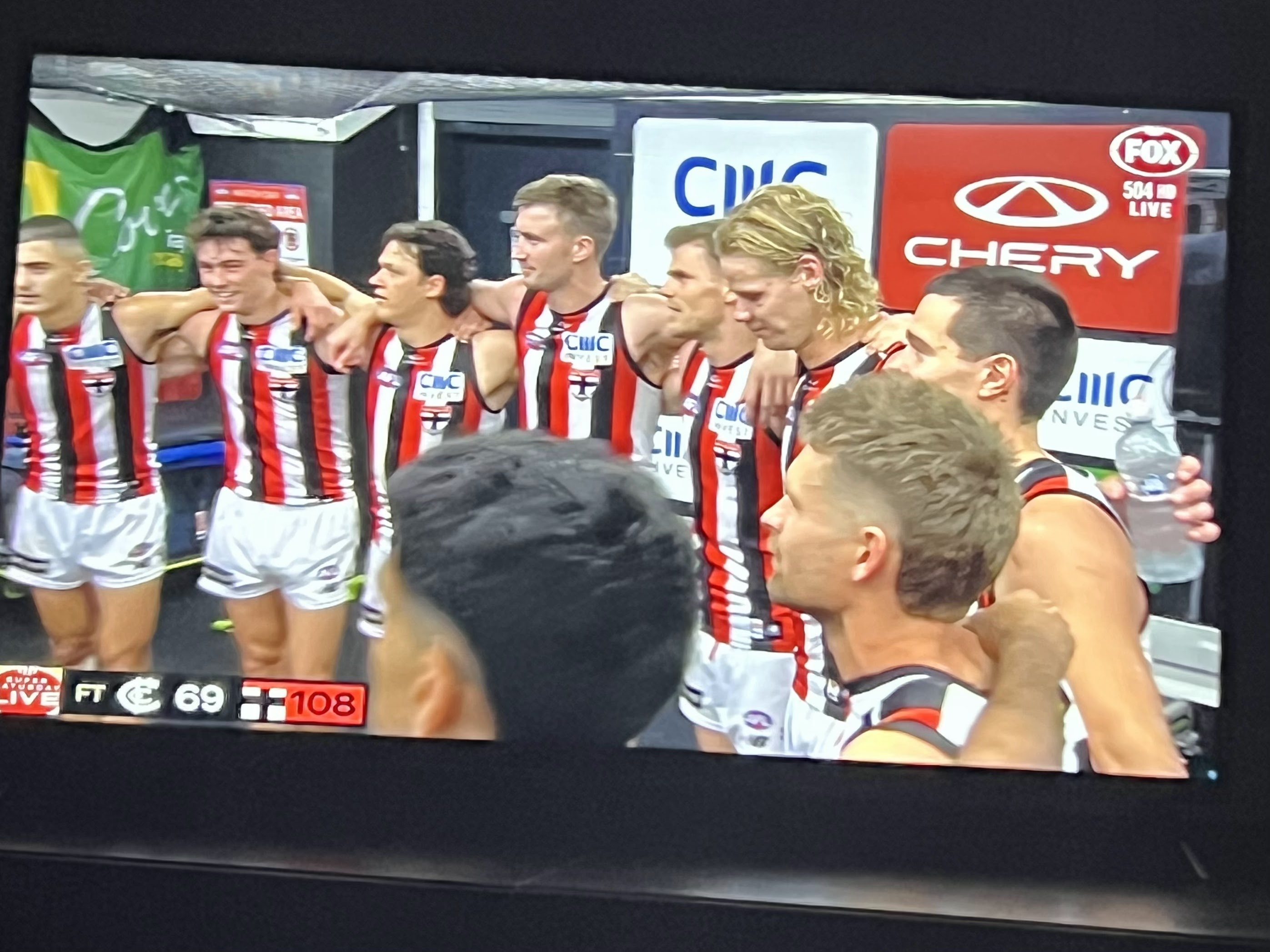
Sunday morning we got stuck behind Run the Tan while taking grand-doggies Data and Sam on a walk, before heading the Saints game at Marvel Stadium.

Not a big deal in isolation. But it got the family thinking: how many times has this happened? And why is there no simple way to know in advance that a fun run, triathlon, or Ironman is going to close half the roads in your suburb on Sunday morning?

There’s no single place to check. Google doesn’t solve it. VicRoads buries road closure notices. You find out when you’re sitting in traffic.

So I built one drinking an Iced Americano, while waiting for the start of the Saints v West Coast Eagles game at Marvel Stadium, with the help of 🦞.

What Was Built

Melbourne Weekend Road Alerts is a free Telegram channel that sends you a weekly Friday evening summary of upcoming weekend events that affect Melbourne roads.

The first alert goes out this Friday, 1 May.

How It Works

The system has three parts:

1. A curated events calendar

I started with a manually-maintained JSON file of recurring Melbourne events (fun runs, triathlons, marathons, parades) that happen on predictable dates each year.

It already has 11 events seeded: Run the Tan, City2Sea, Run Melbourne, the Melbourne Marathon, Ironman Melbourne, the ANZAC Day march, and more.

Each entry includes the event name, typical date, affected suburbs, affected roads, and approximate closure times. This is the reliable backbone that works regardless of whether any scraper succeeds.

2. A VicTraffic scraper

VicTraffic is the official Victorian Government road disruption site. It has live event closure data, but it’s a JavaScript-heavy single-page app so standard web scraping won’t work.

I used Playwright, a headless browser automation library, to load the page, intercept any API calls the app makes, and extract event closure data. This runs weekly on Thursday evening so the data is fresh for Friday’s alert.

3. An alert generator

A Python script combines the live VicTraffic data with the curated calendar, looks ahead to the coming weekend, and generates a plain-text alert:

🏃 Melbourne Road Alert — 2 May & 3 May
📅 SATURDAY 2 MAY
• No major road events found
📅 SUNDAY 3 MAY
• Melbourne Half Marathon (approx date — check event website)
Type: Half Marathon
Areas: CBD, Southbank, South Melbourne, South Yarra
Roads: St Kilda Road, Kings Way, Flinders Street
Hours: 07:00 – 11:00
More: https://melbournehalf.com.au
🦞 Melbourne Events Tracker — beta
Curated + VicTraffic data. Always verify before heading out.

This runs every Friday at 6pm and posts to the Telegram channel automatically.

The Stack

Everything runs on a Windows PC running WSL2/Ubuntu using the same infrastructure used for SmallBizAI.au with :

  • Python for the scraper and alert generator
  • Playwright for headless Chrome (to handle the JS-rendered VicTraffic site)
  • OpenClaw for cron scheduling and Telegram bot integration
  • Telegram Bot API** for posting to the channel
  • A flat JSON filefor state (no database needed at this scale)

Total cost to run: $0. No servers, no paid APIs, no hosting.

What’s Next

Right now it’s in beta. The curated events calendar is the main source of truth, with VicTraffic as a supplement when it has live data.

Next steps:

  • Expand the curated calendar (suggestions welcome)
  • Improve the VicTraffic scraper to capture more granular road closure details
  • Add suburb filtering so you only get alerts relevant to your area
  • Potentially a web version and WhatsApp channel
  • Expand nationally
  • Profit $$$

Subscribe

If you’re in Melbourne and tired of getting stuck behind fun runs: t.me/melbweekendalerts

First alert this Friday. Free forever.

*Built on 26 April 2026 — the same day St Kilda beat West Coast by 101 points in AFL game 16,898, producing a scorigami (a final score that has never occurred in the history of the game). Good day.*


Can One Person on a Career Break Outproduced a Team of 8?

Coffee cup, beach, golden sunset — career break vibes nailed. 🦞

I had coffee with a former colleague recently. He runs a business focused on providing comprehensive services to business owners — with a dedicated team working across content and service delivery.

He looked at SmallBizAI.au and said our content was better than what his team had produced.

I’ve been on a career break since leaving AWS in 2024.

That gap deserves an explanation.


The Site Isn’t Really a Site

SmallBizAI.au has 639 published posts. 208 Australian AI company profiles. Nine content categories. A newsletter with a 90% open rate. Six Gumroad products. A daily news post. A Sunday series. And a coverage area that spans 100+ industries.

I didn’t write most of it this week. A lot of it ran while I was having coffee.

Here’s what actually happened while I was out:

  • The morning brief landed in my Telegram at 7am with overnight news, today’s weather, content opportunities, and SEO flags
  • The daily news cron fired at 8am, pulled from 20 RSS feeds, scored stories for Australian relevance, picked the best five, and published a post
  • The internal link sweep processed 50 posts, found relevant anchor opportunities, and added links automatically
  • The em dash cleanup script fixed AI writing patterns across another batch of posts
  • The broken link fixer ran at 11am, processed 30 posts from a queue, and applied known URL replacements

None of that needed me. It just happened.


What “Agentic” Actually Means

There’s a lot of talk about agentic AI right now. Most of it is abstract.

The concrete version looks like this: 31 scheduled jobs running on a server, each doing a specific task, each reporting back. Some run daily. Some run weekly. Some run once a month. The whole thing costs less than $10 a day in API calls.

The tasks aren’t glamorous. Fix broken links. Update post counts. Sweep for missing alt text. Refresh the sitemap. Check newsletter subscriber milestones. Run the SEO review. Generate the Monday report.

But the cumulative effect is a site that maintains itself. Every day it gets a little cleaner, a little better linked, a little more optimised. I don’t have to remember to do any of it.


Claw Isn’t a Chatbot

The AI I work with — I named it Claw 🦞 because it’s OpenClaw— isn’t a tool I query. It has a memory system, a soul document, a personality, and persistent context about the business.

It knows that our content edge is the Australian angle. It knows to run the avoid-ai-writing skill before publishing anything. It knows the newsletter sends on Tuesdays at 6:30am. It knows the people I know, and gives me insights before I meet them.

It remembers because I told it to write things down. It has daily memory files, a long-term MEMORY.md, project files for every content series, and a dashboard that updates nightly with live stats.

When I start a new session, it reads the relevant files and picks up where we left off. No briefing required.

That’s different from a chatbot. A chatbot answers questions. Claw manages a business with me.


The Dashboard as Command Centre

One of the things I built early was a private dashboard page on the site itself.

It shows: total posts by category, newsletter subscriber count, Gumroad revenue, Google Search Console performance, Bing AI citation counts, background task progress, infrastructure status, the content pipeline, the AU company profile queue, and the last 20 published posts.

It auto-updates every night.

I check it at the start of each session and know the state of the whole operation in 30 seconds. No Slack. No standups. No status meetings.

That’s not magic. It’s just information architecture. The data exists — GSC API, WordPress API, MailerLite API, a state JSON file. The dashboard pulls it together and shows it clearly.

But the effect is real. I can make better decisions faster because I’m never starting from zero.


What This Means for the Industry

A former colleague runs a business with a dedicated team focused on content and service delivery. Real people, real effort, real investment.

A single person on a career break, working with AI, produced something he considered better.

I’m not saying that to be smug. I’m saying it because it tells you something important about where we are right now.

The constraint used to be labour. Content took people. Maintenance took people. Research took people. Systems took people.

Those constraints haven’t disappeared — but they’ve shifted dramatically. A single person who understands what they’re building, who structures their AI tools correctly, and who builds agentic infrastructure around their work can now match or beat larger teams on output and quality.

The new constraint is design. Can you design the system well enough that it does the right things autonomously? Can you build the memory structures so context doesn’t get lost? Can you write the crons that run the tasks you’d otherwise forget?

That’s a different skill set than managing a team. In some ways it’s harder. In others it’s much faster.


What This Isn’t

This isn’t a story about AI replacing people.

Claw doesn’t make strategic decisions. It doesn’t know that an off the cuff acquisition comment is worth sitting with for a few weeks before responding. It doesn’t know that someone’s AI startup is enterprise-focused and not worth a profile yet. It doesn’t know when to push and when to wait.

I do those things.

What AI does is remove the friction between decisions and execution. I decide to write a comparison post. Claw drafts, audits for AI writing patterns, adds Rank Math meta, pulls a featured image from Unsplash, formats the tables with the correct style, publishes it, updates the dashboard, and adds it to the relevant guide page.

That used to take me two hours. Now it takes twenty minutes of oversight, if that.

The output went up. The time went down. The quality, if anything, improved because the system enforces standards I’d sometimes cut corners on.


The Practical Bit

If you want to build something like this, here’s what actually matters:

Memory architecture first. If your AI can’t remember what you built last week, you’ll repeat yourself constantly. Write things down. Create project files. Build a dashboard. The AI is only as useful as the context you give it.

Automate the boring stuff early. Every task you do manually more than twice should be a cron job. Broken links, alt text, internal links, post count updates — these are all automatable. Do them once manually, then write the script.

Build standards into the system. Table styling, meta descriptions, footer links, featured images — if these have a standard, the system can enforce it. Document the standard. Give the AI the standard. Stop enforcing it manually.

Treat it like infrastructure, not a tool. A hammer is a tool. You pick it up when you need it and put it down when you’re done. An agentic system is infrastructure — it runs whether you’re watching or not. Design it that way.


Where This Goes

I don’t know what comes next for SmallBizAI.au. I don’t know if it becomes something bigger. I don’t know if the newsletter hits 5,000 subscribers by the end of 2026.

What I do know is that the model works. One person, the right infrastructure, and a clear focus on what actually matters — in this case, Australian AI content for small businesses — can build something real.

The team-of-eight comparison isn’t the point. The point is that the tools exist now for one person to do what used to require a team. That changes what’s possible for solo founders, career-breakers, side projects, and small businesses.

Most people haven’t figured that out yet.


Australian Boards Don’t Understand AI. Here’s Why That’s A Problem For All Of Us.

frank arrigo career timeline

I’ve spent 40 years in technology. Starting at Aspect Computing in the 80s as a graduate, then 22 years at Microsoft both in Australia and Seattle, 4 years at Telstra, and finally 6 years at AWS covering Australia and APJ. I’ve sat in boardrooms, executive briefings, and strategy sessions across Australia, the US, and the Asia-Pacific region.

And I’ll tell you what I’ve noticed: the people making technology decisions at most Australian companies often understand finance, law, and general management very well. They understand technology considerably less well.

New research from Queensland University of Technology has put numbers to something I’ve experienced firsthand. Out of the 500 largest ASX-listed companies, more than half have zero directors with STEM expertise. Over 15 years — covering smartphones, cloud, and now generative AI — that number moved from 8% to 13%. Meanwhile, accountants, bankers and lawyers still hold 42% of board seats.

I don’t think these are bad directors. Many are excellent at what they do. But technology is no longer a back-office function. It’s strategy. And you can’t set strategy for something you don’t understand.


What I saw at Microsoft and AWS

At Microsoft, I spent years as a technical evangelist — explaining technology to businesses, developers, and yes, executives. The best executive conversations I had were with people who had at least some technical background. They asked better questions. They made faster decisions. They weren’t paralysed by the fear of making the wrong choice because they didn’t understand the options.

At AWS, I ran teams focused on helping Australian organisations adopt cloud and AI. Again: the organisations that moved fastest had at least one person close to the top who genuinely understood what they were adopting. Not necessarily an engineer — but someone who had shipped software, run a tech team, or built something with technology.

A former colleague of mine who focused specifically on AI governance and board-level education at AWS put it well: boards tend to either dismiss AI as an IT problem or panic about it as an existential threat. Very few engage with it as what it actually is — a general-purpose capability that changes what’s possible across every function of the business.


Why this is urgent now

The QUT research only goes to 2022. AI as we know it today — ChatGPT, Claude, Copilot, Gemini — arrived after that. The urgency has increased dramatically since then.

ASIC has told Australian boards that cybersecurity is their responsibility, not the IT department’s. AI brings similar responsibilities: data privacy, algorithmic bias, liability when AI systems make mistakes, regulatory compliance under an evolving Privacy Act.

The Australian government signed an MOU with Anthropic in April 2026 — the first arrangement under the National AI Plan. Billions are flowing into data centres. Anthropic is opening a Sydney office. The investment appetite is real.

But investment without governance is how you get expensive technology initiatives that deliver nothing, or worse, that create serious legal and reputational risk.


The question I keep asking myself

I’m on a career break right now. Building SmallBizAI.au — a practical guide to AI for Australian small business owners. It’s been a fascinating experiment in what one person can build with the right AI tools and infrastructure.

But the boards research made me think about what’s next. Not just for me personally — though if you’re looking for someone who’s spent 40 years in technology, led teams across Microsoft, Telstra and AWS, and is now building AI-native products, I’m worth a conversation. But more broadly: what does Australia lose when the people overseeing our biggest companies don’t understand the most important technology shift of our lifetimes?

The research has an answer. Companies with more STEM expertise on their boards invest more in innovation and are valued more highly. That held even in low-tech industries. The boardroom gap isn’t just a governance problem. It’s a competitiveness problem.


What good looks like

I’m not arguing every board needs a software engineer. I’m arguing boards need at least one person who has operated at the intersection of technology and business — who can ask the right questions, interrogate vendor claims, understand the real risks, and push management to move faster when the opportunity is clear.

That person exists in Australia. There are thousands of us — people who came up through technology, moved into leadership, and understand both sides. We’re not all in boardrooms. Some of us are on career breaks building websites about AI for small business owners.

That might need to change.


Sources


What’s been going on?

I had almost forgetting about this site 🤦

So a lot has happened since that last post from February 2022!

I wrapped up with AWS in June 2024 after 2335 day ones, having collected 2110 phone tool icons!

I’ve been on a break to focus on my health and well-being, something that had been neglected for a long long time.

We also moved house during the time, which is always stressful – having to pack, move, unpack, declutter – not a fan.

Anyways, last month I had a look at OpenClaw and decided to have it help me create something.

During my tech career I’ve had the opportunity to work with many different Aussie companies, both large and small, and I really enjoyed working with small businesses to adopt technology to help their business grow. This got me thinking, is there any resources around specifically for Australian small businesses to help them navigate the new world of AI? I looked around and didnt find anything specific, so that was the opportunity!! SMALLBIZAI.AU

Together with my AI agent Claw🦞, we built the site in a day put together a content plan for the next 30 days, created a SWOT analysis of the space and launched. The site has a simple styling, with some green and gold mascots throughout, with the golden roo as the main hero of the site.

smallbizai au logo of a kangaroo

So I’m sure you’re wondering how it’s going? We have a weekly newsletter, AI Guides, Prompt Packs and Tools. how to get started and lots of other content

  • Guides — practical how-to guides for Australian small business owners
  • Industry Tips — industry-specific AI guides covering trades, health, finance, retail, and more
  • News & Trends — articles covering AI developments that affect Australian business
  • Australian AI Companies — profiles of homegrown AI companies worth knowing about
  • AI Tools — reviews and comparisons with Australian context on pricing and use
  • Case Studies — real-world stories of Australian businesses using AI
  • Automation — guides to Zapier, Make, and connecting your tools
  • Legal & Privacy — articles on AI and Australian law, privacy, and compliance

I’ll give updates on how it’s going so visit the site and let me know your thought


Four years have flown by

This week I passed my 4 years at AWS, and what an interesting time it’s been. Since my last post, we still find ourselves in a global pandemic, dealing with the latest variant which continues to impact our lives. All the members of the household have had their 2 vaccines and have been recently boosted, so we’re doing our bit BUT living in Melbourne, one of the most locked down cities in the world, has been tough. On the plus side, I did get myself a cool new t-shirt to remember the experience.

So, we find ourselves at the start of 2022, with another mountain to climb, memories to be made, goals to be met (and exceeded) and ready to face whatever challenges the year ahead will put in front on us.

I am thankful I have a comfy spot at home to get my work done, adequate bandwidth, walking distance to some of the best coffee in Melbourne, and access to plenty of snacks.

I recently got a replacement laptop, which is a big improvement over my trusty old friend who developed a swollen battery and was starting to run out of steam. By the end of it all, the old laptop was being held together by a whole bunch of stickers.

I’ve got more to say, but I’ll save that for when I reach my 1500 days milestone – which isn’t that far.


700 Days with an unexpected twist!

Today is my 700th day at AWS. Nice round number eh? 1 year, 11 months since I started! The team has grown, with new hires in Melbourne, Sydney & Brisbane (and Perth).  It’s been a wild ride, or should I say a wild ryde 🦄.

Now, the twist is that my daughter Emma is starting today at AWS as an intern!

emmaaws

Photographic proof – It’s Emma at AWS

If someone had told me that would be the case 700 days ago, I would not have believed it!  In retrospect it’s kinda obvious that this was going to happen.

emmaandjeff (2)

When Jeff met Emma

I’m sure she will have a lot to say about her day – but I just couldn’t resist a post to celebrate both milestones, as I join an exclusive group.


3 years on, break out the leather, crystal or glass

lb
Each year I do a little retrospective post marking my work anniversary, and today I it’s time to continue the tradition.
First up here’s some of those previous posts covering my time at Telstra
otd
During the last 12 months, I’ve gone from working on the Telstra API Strategy to moving to the Innovation team, in the Chief Technology Office.
Along the way, I picked up new duties and am responsible for people again.   I really like being a “people leader”, helping develop, coach, mentor, inspire. I even had a ‘grad’ to tend to and Serina (aka gilly) has been absolute delight. Maybe you have read some of her stories — GovHack 2016My week with … A botTechfugees for Young people: #hack4refugeesA world of code. Her time with me is coming to an end, so I wish Serina all the best with the next step of her career.
I really like working with grads, and since Telstra has a well structured graduate program I look forward to contributing to that.
Something else I like, is being involved with Muru-D, and last year #SYD3 was full of amazing young companies. I got to work closely with Simpla and Cuberider – seriously, how amazing was it to see Cuberider send Australia’s first payload to the ISS!!  I was involved in the recent SYD4 bootcamp and look forward to seeing the next batch come through! And what a legacy Annie Parker is leaving behind, but can’t wait to see what Lighthouse becomes!
There’s a bit of theme – one of nurturing, mentoring, curating, advising & inspiring and these are all the things that get me going and inspire me. So, can’t complain about that!
Oh and the leather, crystal, glass reference – it’s the suggested three year anniversary gifts
3y

1,000 Days


I’ve just clocked over 1000 days at Telstra. It’s gonna get hard to play the “I’m new here” card now I guess.

It’s been a journey so far – kinda like the hero journey

heroesjourney

A hero ventures forth from the world of common day into a region of supernatural wonder: fabulous forces are there encountered and a decisive victory is won: the hero comes back from this mysterious adventure with the power to bestow boons on his fellow man.

And to be honest, it pretty much sums up what happened in relation to the API Strategy work — A call to adventure, guardians, mentors, temptations, threats, challenges, revelations, transformations, atonement, a gift of the goddess and eventual return! Yup, pretty much a text book experience.

The journey was featured in a recent article at the end of July, entitled Telstra’s API revolution.  It gives a great wrap up of the work to date, and acts as a solid record of what has been done.

There have been losses along the way, and I won’t dwell on them all but I do want to mention one of my fellow travellers – Bruce Carney. We both started on the same day – brothers in arms, facing the challenges together. Bruce is no longer with us – he’s part of a new journey with Aussie software darling, Atlassian, and I do wish him well on his next journey.

So I now find myself at a transition point, a time for a new story, with some familiar folks, and some new ones as well.

I am now a member of the Innovation team at Telstra, in the Chief Technology Office, located in the world-class Gurrowa Innovation Lab in Melbourne.

The lab opened in August 2015, with lots of great coverage:

The lab is the centerpiece of Telstra’s innovation and technology research capabilities. Gurrowa, which means Interchange in the Wurung language, signifies the interchanging of ideas that will take place in this unique co-creation space that will drive the new wave of innovation at Telstra.

It has been the location for projects, events, hackathons over the past year, and with the experience gained over that time, we now have an opportunity to fine tune the way it works and make it AWESOME!

So that’s the new call to adventure.  What lies ahead? I don’t fully know, but I do know WHY we’re doing this, and that makes for a fun journey.

Huzzah!