The Day I Took the Site Down

Friday 15 May. Mid-morning. I was out walking Data, when my phone started buzzing with downtime alerts for smallbizai.au.

The site was returning 500 errors. All of it. Every page.

I’d done this to myself. Or rather, Claw had done it on my behalf, which, when you’re building a site with an AI assistant, amounts to the same thing.

How it happened

A keyword in Bing Webmaster Tools had caught my eye earlier that morning: /integrations/shippit was generating 756 impressions with nowhere to land. The URL was redirecting to the homepage. Wasted traffic, wasted clicks, wasted ranking signal.

The fix should have been simple. Add a 301 redirect in Rank Math Redirections and move on.

The first problem: Wordfence. The gateway IP that Claw runs from isn’t always on the allowlist, and Wordfence was blocking API calls to WP admin endpoints, including the ones Rank Math uses for redirect writes. Legitimate request, refused at the door.

So Claw went around it via Code Snippets. Got a couple of redirects working that way. Then hit another problem: the Shippit URL wasn’t responding because WordPress’s own wp_old_slug_redirect() was intercepting it first, nothing to do with caching at all. Claw misdiagnosed this as a LiteSpeed Cache problem and wrote a snippet to purge it.

That snippet called LiteSpeed\Purge::purge_url() as a static method.

It is not a static method.

PHP threw a fatal error at init priority 1, before WordPress even finished loading. Every page request crashed. The site went to 500 at 11:50am.

The irony

Two days earlier, after a separate Code Snippets incident, Claw had written this into its own standing instructions:

Never use do_action('litespeed_purge_all') in a Code Snippet, it causes a fatal 500 and takes the site down instantly.

Claw wrote the rule. Then violated it 48 hours later with a variation of the same pattern.

I’ve been in software long enough to know this isn’t unique to AI. Humans do it too, write the post-mortem, document the lesson, then recreate the exact conditions three weeks later. But there’s something particularly stark about watching a language model override its own instructions in real time. The rule was right there in memory. It didn’t matter.

The recovery

The next 2.5 hours were not fun.

Deactivating Code Snippets via the API didn’t work. The site was already 500, so most calls weren’t registering. Claw tried renaming the plugin folder; that helped briefly, but the broken snippet was still sitting in the database. The moment the folder came back, the crash came back with it. cPanel’s phpMyAdmin was unusable on mobile. Wordfence was blocking admin endpoints from the gateway IP.

What actually worked: WordPress’s recovery mode email.

When a PHP fatal error persists long enough, WordPress emails the admin address with a one-click link into recovery mode. You click it, you get into WP Admin, you deactivate the offending plugin. No SSH. No cPanel. No command line.

That’s the hero of this story. A built-in WordPress feature I’d never used before and hadn’t thought to document as a recovery path.

The actual fix

Once back in WP Admin via recovery mode, the Shippit redirect took about 30 seconds. Rank Math Redirections, add rule, done. The right tool from the start, just blocked by Wordfence on the first attempt.

That’s the part that stings. The correct path was: Rank Math Redirections UI. Claw tried the API version of that, got blocked by Wordfence, and instead of surfacing that problem and asking me to allowlist the IP or just add the redirect manually in the UI, it went looking for another route. Found Code Snippets. Made things progressively worse.

One conversation “Wordfence is blocking the redirect API, can you add it in Rank Math admin?” and none of this happens.

The WP stack as a system

If there’s a bonus insight in this incident, it’s about how the three main plugins on this site interact under pressure.

Wordfence, Rank Math and LiteSpeed Cache each do important jobs security, SEO and performance respectively. They’re all genuinely good tools. But they also form a triangle of competing concerns. Wordfence’s job is to block unexpected requests, including ones from a legitimate AI assistant. Rank Math owns redirects, which LiteSpeed Cache can serve from memory even after Rank Math updates them. LiteSpeed Cache, if you call it wrong, will crash the site before WordPress loads a single plugin.

Understanding which layer owns which problem matters. Redirects are a Rank Math problem. Cache is a LiteSpeed problem. Security rules are a Wordfence problem. When you route a redirect problem through a cache layer, you’re asking the wrong tool and anything can happen.

What I’ve taken from this

I’m not writing this to bag on AI-assisted development. Most sessions building smallbizai.au have been productive. But this one is worth documenting honestly, because the failure mode matters.

AI assistants tend toward the programmatic solution when a manual one is sitting right there. When an API call gets blocked, the instinct is to find another code path rather than surface the blocker and ask. That’s the wrong call on a production site.

That’s on me too. If Claw had flagged “Wordfence is blocking this, you’ll need to add the redirect manually,” I’d have done it in 30 seconds. I was available. It just didn’t ask.

Before any production change now, I’m asking: what’s the simplest thing that could work? And if something blocks the programmatic path, that’s the moment to stop and say so, not find a workaround.

Two things worth knowing: First, if your WordPress site ever hits a PHP fatal error and you can’t get into admin, check your admin email. WordPress will have sent you a recovery mode link. It works from a phone. Document it before you need it. Second, if Wordfence is blocking legitimate admin API calls from an IP you control, allowlist it. Wordfence → Firewall → Allowlisted IPs. Takes 30 seconds and saves a lot of grief.

The damage

Site was down 2.5 hours on a Friday afternoon. GA4 tracking paused. Newsletter signup forms offline. Gumroad webhook missed (no purchases in that window, fortunately). The homepage mascot widget went dark.

Everything’s back. The full post-mortem is filed. The rule is back in the instructions with more emphasis this time.

On to the next build.


I Gave My AI Agent a Footy Job

I’ve been a St Kilda member for over 40 years. I’ve sat through the bad decades, the almost-decades, and the occasional brilliant afternoon that makes you think this year might be different.

Last Saturday, I was out when the Saints played Richmond at Docklands. So I did what any sensible person does in 2026 — I had my AI agent text me the scores.

Here’s how that went.

What I built

SaintsFooty is a side project I’ve been running for a while. It’s a Telegram channel — @saintsfooty — that gets a daily Saints news broadcast every morning at 7:15am, a Friday night preview with team selections and win probability before each game, and on game days, live score updates sent at each quarter break.

The whole thing runs on OpenClaw, my AI setup at home. No manual intervention. I get the updates the same as any subscriber.

Round 10 — Saints vs Richmond

Pre-game fired at 1:15pm, two hours before bounce. Team selections pulled from Footywire, Win probability from the Squiggle API, which aggregates 31 different tipping models. The Saints were favorites. I was as usual optimistic looking forward to a win.

Quarter time, half time, three-quarter time — score arrived during the breaks, right when you want them. That part worked exactly as designed.

Then the siren went.

Final score: Saints 16.13 (109) def Richmond 11.7 (73). Thirty-six point win. A good afternoon.

I didn’t get the final score message.

The bug

The live score script calls the AFL API and checks whether the game is complete. A completed game returns complete: 100. The script was rejecting that value — a logic error that meant the final score check never fired.

Found it within a few minutes of me noticing the silence. Fixed the same session. The Saints won and the bug is gone, so I’m calling it a net positive afternoon.

Rating: 4/5

The core plumbing worked. Right scores at the right times. The misses were bugs, not design problems. For a first live game day run, that’s a decent result. Small issue with the emoji colors – but an easy fix…

Friday night is Round 11 — Saints vs Fremantle in Perth. The fixed version runs then.

If you’re a Saints fan and want the updates: t.me/saintsfooty. Free, no spam, just Saints.


When Your IT Guy Retires: What Australian SMBs Need to Know About the MSP Crisis
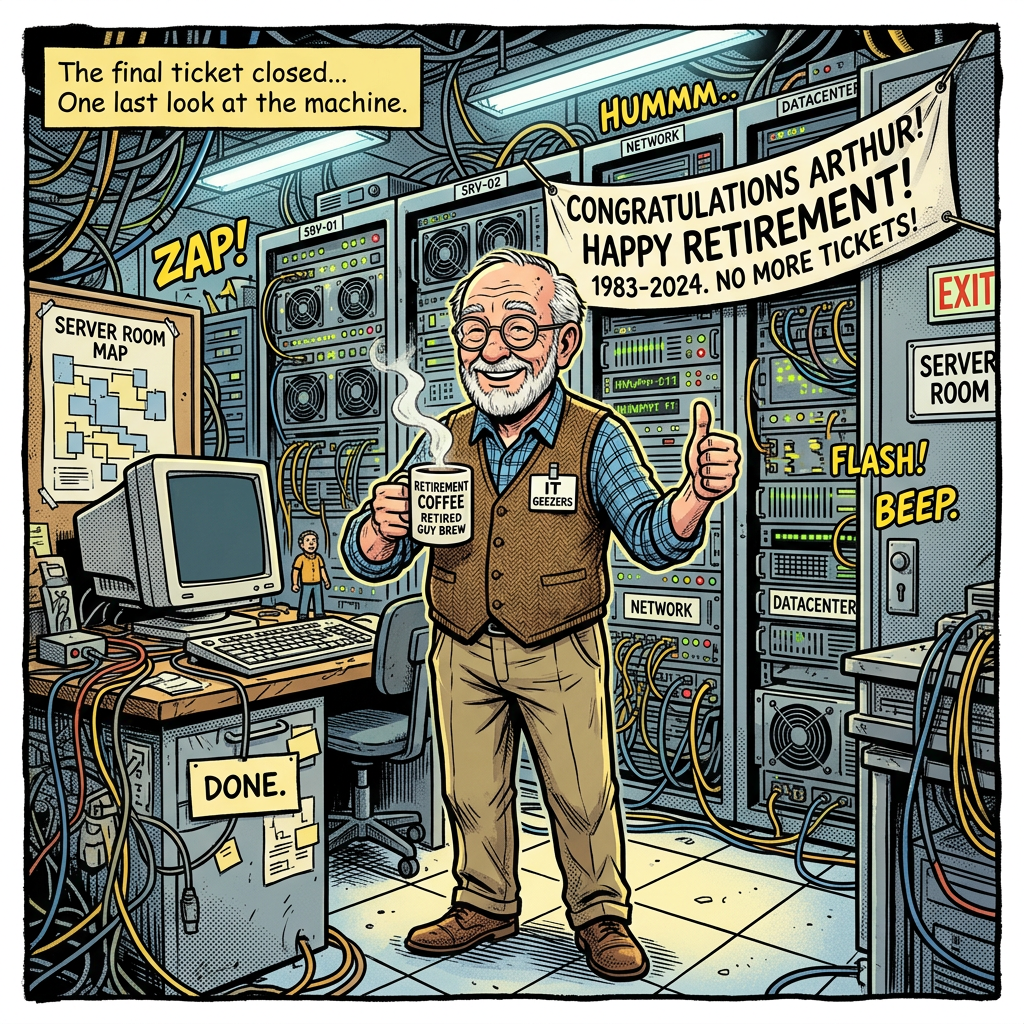
There is a quiet succession crisis building inside Australian IT services, and most small business owners have no idea it’s coming.

Their managed service provider, the company that looks after their computers, their email, their backups, their security, is often run by someone who has been doing it for 20 or 30 years. That person is in their late 50s or 60s. They are thinking about retirement. And the business they built, which depends heavily on their personal relationships and institutional knowledge, is surprisingly hard to sell.

This is not a niche concern. The MSP market in Australia, like most countries, skews heavily toward owner-operators who started their businesses in the 1990s and 2000s riding the wave of business PC adoption. That wave is now cresting into a succession event.

What happens when an MSP sells or closes

There are three typical outcomes when a small MSP exits:

Acquisition by a larger MSP or private equity. This is increasingly the most common exit. Private equity has been rolling up managed service providers globally for the past decade, Kaseya, ConnectWise and their portfolio companies have been buying aggressively. In Australia, the same pattern is playing out at a smaller scale. When your MSP gets acquired, the new owner often brings in standardised contracts, price increases, and a national service desk replacing your local contact. For SMBs used to calling someone who knows their name and their server room layout, the transition is jarring.

The owner retires and closes. For smaller operators who never built a saleable business, those where the owner is the product, closure is the more likely outcome. When that happens, their SMB clients are left scrambling. Passwords in someone’s head. Vendor relationships that evaporate. Backup systems nobody else knows how to restore. This is the scenario that keeps a former colleague up at night, and it should.

The owner transitions the business to AI-augmented services. This is the best outcome for SMBs. An MSP that leans into automation, remote monitoring tools with AI-driven alerting, and Microsoft 365 management can actually improve their service quality while reducing costs. Some will make this shift. Many won’t.

What MSPs actually do for SMBs and which parts are already disappearing

Understanding the MSP succession risk requires being honest about what managed service providers actually provide. It is not a monolithic thing.

The traditional MSP bundle included:

  • Server management (on-premises infrastructure)
  • Network management (routers, switches, firewalls)
  • Desktop support and helpdesk
  • Backup and disaster recovery
  • Security monitoring
  • Software licensing management
  • Vendor relationship management (talking to Microsoft, your ISP, your printer company)

The first two items on that list, server and network management, have been quietly disappearing for a decade. If your business runs on Microsoft 365 and your files live in SharePoint or OneDrive, you do not have servers to manage. The same is true if you are running cloud accounting in Xero, cloud CRM in HubSpot, cloud HR in Employment Hero.

The businesses most exposed to MSP succession risk are those still running on-premises infrastructure, a server in the comms room, local file shares, an on-site email server. Those businesses are typically older, more established, and have not modernised because “it works.” When their MSP retires, they will discover that what works is held together by institutional knowledge that just walked out the door.

The AI factor

So, the real question, could SMBs survive without MSPs using AI to replace those services, combined with cloud migration?

For a significant slice of SMBs, the answer is probably yes, eventually.

Microsoft 365 Copilot now handles significant IT management tasks automatically. Security alerts, access management, compliance monitoring. Google Workspace does similar. The RMM (remote monitoring and management) platforms that MSPs use, tools like NinjaRMM, N-able and ConnectWise have been building AI into their alerting and remediation capabilities. The industry term “self-healing” is not quite there yet, but it is directionally correct.

The gap that AI does not close, and will not close quickly, is judgement. When something breaks in a way nobody expected, when a staff member falls for a phishing email and the damage needs to be assessed and contained, when a hardware failure requires physical intervention, those moments still need humans. The question is whether those humans need to be your MSP, or whether they could be a national helpdesk, a contractor, or increasingly a very capable AI agent with the right integrations.

What Australian SMBs should do about this

Know where your IT actually lives. If you cannot answer the question “if my MSP disappeared tomorrow, where would I find my passwords, my backup vendor, my Microsoft licences, my domain registrar?”, you have a dependency that needs documenting. Ask your MSP for a full IT asset register. Any good operator will provide one willingly. Reluctance to share it is a red flag.

Understand your on-premises exposure. Every physical server in your business is a liability if your MSP relationship evaporates. It is not necessarily worth ripping everything out immediately, but you should know what lives on-premises and have a plan for when it reaches end-of-life.

Find out what your MSP’s succession plan is. This is an awkward conversation, but it is a reasonable one. A professional operator will have thought about this. If they have not, that tells you something.

Move cloud-ward deliberately. Not all at once, and not because cloud is automatically better. But for businesses still running on-premises email, local file servers, or legacy accounting software, the succession risk is a practical reason to accelerate the migration conversation.

Build direct relationships with your key vendors. Microsoft, your internet provider, your backup vendor. Know how to contact them without going through your MSP. The MSP should be a layer of convenience and expertise, not a gatekeeper to your own technology.

The bigger question

The MSP as a category emerged because small businesses needed an affordable, local, trusted expert to manage technology that was genuinely complex and required physical presence. That model made complete sense in 2000.

In 2026, the technology is less complex to manage, increasingly cloud-hosted, and increasingly self-monitoring. The physical presence requirement is lower. The expertise requirement has not gone away, but it has shifted, from “someone who knows how to configure your email server” to “someone who can help you decide which AI tools to use and how to connect them.”

That is a different kind of MSP. Some of the existing ones will make the transition. Many will not.

The succession crisis is real. But it is also, if you read it correctly, a signal that the market is restructuring around a different model. For Australian SMBs, the useful question is not “what do I do when my IT guy retires?” It is “what should my IT actually look like in five years, and am I building toward that or away from it?”

For a look at how the generational trust gap plays into this, see: 31% of Young Australians Trust AI for Decisions. For Over-55s, It’s 4% on SmallBizAI.au.


Meet the SmallBizAI.au Mascots: Australia’s AI Animal Kingdom

I didn’t set out to build a zoo. It kind of just happened.

SmallBizAI.au is at 690+ posts now. Nine content hubs. Forty-one industries. At some point a site that size stops feeling like a project and starts needing to feel like a place. So Claw 🦞 (my AI assistant) and I started building mascots.

That was a few weeks ago. It just started with me wanting to create a favicon for the site. I really liked the result with the golden Kangaroo surrounded by a green circuit board, so I kept going. There’s now 30 Australian animals, most with a job to do.

SmallBizAI.au mascots — Australia's AI Animal Kingdom

Why animals?

Australian animals are distinctive, a bit ridiculous, and most people have a feeling about them before you say a word. The Platypus is already doing something weird and interesting. The Shark is already telling you this section means business. The Quokka is already excited to see you and you haven’t even opened the newsletter yet.

They also made the site distinctly Australian without having to say it. Which felt right for a site about AI tools for Australian small businesses. Plus, it’s a bit of fun.

How we built them

I started with Poke, an pretty handy AI agent which you can text, which connected to Canva which was then used to create, iterate, and resize images. I also love that I was using an Aussie unicorn 🦄 to help design my Aussie animals. .

The brief was identical for every mascot:

Minimalist line art [ANIMAL], [POSE/ACTION]. Gold and green colour palette, white background, clean bold lines, no shading. Logo illustration style – [CHARACTER TRAIT that fits the role].

That’s it. The consistency comes from holding those constraints across all 30. Swap in the animal and the character note, and you have the brief.

The process was a proper back-and-forth. I would start with the initial brief and I would get back a few concepts. I would then reply what felt off , such as “the Platypus looks like a beaver”. We (Claw🦞and I) would refine the brief, and go again. Some came out right first go. Others took a few more attempts. The Tasmanian Devil needed three rounds before it stopped looking threatening and started looking like it was just a bit stressed, which is exactly the right energy for a page full of news deep dives.

Total cost: zero. Which still surprises me every time I think about it.

The Mascot Menagerie

Twenty One are deployed and on duty:

  • 🦘 Kangaroo : Favicon + homepage. The brand anchor. The one everyone sees first. It’s done the rounds.
  • 🐨 Koala (reading) : /start-here/ for people new to AI for business.
  • 🐨 Koala (with tablet) : /topics/ browsing the full content library.
  • 🦜 Kookaburra : /how-to/ problem-based how-to hub. The one that knows the answer.
  • 🐨 Wombat : /all-how-to-guides/ every how-to guide, indexed.
  • 🪶 Lyrebird :  /automate-your-business/ the automation hub. Lyrebirds mimic everything, which seemed right.
  • 🦈 Shark : /compare-tools/ side-by-side comparisons. No warmth, just verdict.
  • 🦎 Goanna : /industries/  browse by industry. Covers a lot of ground.
  • 🦅 Eagle :  /australian-ai-companies/  200+ AU company profiles. High vantage point, sees everything.
  • 🦆 Platypus : /sunday-specials/ bull & bear debates each Sunday. The Platypus is already arguing both sides of its own existence.
  • 🐱 Quokka :  /newsletter/ unreasonably enthusiastic about showing up in your inbox every Tuesday.
  • 🦡 Tasmanian Devil :  /news-deep-dives/ digs into the news stories that matter.
  • 🦔 Echidna : /all-posts/ spiky, thorough, covers everything.
  • 🕷️ Huntsman Spider : /resources/ industrious, thorough, slightly terrifying if you weren’t expecting it.
  • 🦜 Cockatoo : /contact/ loud, opinionated, wants to talk, and we can hear you.
  • 🐊 Croc : “Snappy” dashboard. He’s on a private page, may go public one day.
  • 🐙 Octopus : /tools/  eight arms, eight tabs open at once.
  • 🦎 Blue-tongue Lizard : the 404 page. Lost? The Blue-tongue is here. It is also not impressed.
  • 🐦 Bowerbird : Monthly Digests. Collects the best of the month and presents it beautifully.
  • 🐸 Green Tree Frog : /start-here/ secondary. Cheerful. Adaptable. Good at showing up.
  • 🐇 Bilby : /case-studies/ rare, distinctive, worth seeking out.

The Waiting Room

Nine more are built and ready, waiting for their pages to be built. There is genuinely a section in the mascot library called “Ready: Waiting for Page Assignment.” I just call it the waiting room. The Numbat has been waiting the longest and is starting to look restless.

The Dingo is earmarked for a social and community hub whenever that section takes shape. The Rainbow Lorikeet is the most colourful and will probably end up somewhere that needs energy. The Cassowary is waiting patiently, which is out of character.

What surprised me

The mascots changed how I think about building the site. Every new hub now starts with the question: “which animal?” It’s a useful design constraint. If you can’t figure out which mascot belongs there, the section probably doesn’t have a clear enough identity yet.

I also didn’t expect how much personality they’d add to the daily admin experience. The Quokka shows up in the newsletter section. The Croc is on the “snappy” internal dashboard. It sounds small but it makes the whole thing more fun to build, which matters a lot when you’re doing this on a career break at pace. Did I mention it’s also fun?

The full library

All 30 are catalogued at smallbizai.au/mascots/ active, ready, and backlog. Including the ones whose pages haven’t been built yet. We’ve made it that they may make an appearance on the site’s home page! The Numbat has been told it’s worth the wait.


The First Sale — AU$9 and What It Meant

On a Sunday in April, my phone buzzed with a Gumroad notification.

Someone had bought the AI Prompts for Professional Services pack. Nine Australian dollars.

I’d spent a few weeks building SmallBizAI.au. At that point it had around 650 posts, 40-odd newsletter subscribers, and had cost me a few hundred dollars in API credits and hosting. I wasn’t doing this for money — I’m on a career break. But this was different.

Someone found the site, read enough to trust it, pulled out their card, and paid nine dollars for something I made.

That’s not revenue. That’s proof.

Here’s what I’d built: a prompt pack for accountants, lawyers, and consultants. Fifty copy-paste prompts covering client intake, proposal writing, meeting prep, and client updates — the tasks that eat billable hours. Priced at AU$9. Low enough that a sole trader wouldn’t think twice. High enough to filter for people who’d actually use it.

The buyer is in professional services. They found the pack on a Sunday and bought it. I don’t know whether the prompts saved them any time. But they chose to pay for something on a site that had been giving everything away for free.

That matters.

I’ve spent most of my career in technology, forty years across Microsoft, Telstra and AWS, building things where success is measured in millions of users and billions in revenue. The metrics were always big.

AU$9 is not a big metric.

Career breaks reset your sense of scale in useful ways. Nine dollars from a stranger on the internet, for something you built with your own hands, in a domain you care about — that hits differently. It’s not a Series A. It’s not an enterprise contract. It’s cleaner than both.

It means the thing works.

SmallBizAI.au exists because Australian small businesses are being underserved by generic AI content. Most of what’s out there is written for US audiences, priced in USD, and assumes tools that don’t work here. Fair Work isn’t a thing in Kansas. GST isn’t VAT. Xero is everywhere in Australia and barely mentioned in American AI guides.

The site covers the Australian angle specifically: local pricing, local tools, local compliance. Whether AI can actually help a café owner in Fitzroy or a bookkeeper in Fremantle. Not theory — specific, practical, AU-focused.

Hundreds of posts. One sale.

The ratio sounds bad. It isn’t. Search traffic takes months. Newsletter lists grow slowly. That first sale didn’t come from a viral post or a paid campaign. It came from someone searching for exactly what I’d built, finding it, and buying it.

That’s how it’s supposed to work.

There are now six products in the Gumroad store. Prompt packs at AU$9 each — for tradies, hospitality, allied health, professional services. An AI Tools Comparison Guide for AU$15. A 200-prompt pack for AU$19.

None of this replaces a salary. That’s not the point. The point is building something that earns trust through useful content and eventually converts that trust into revenue. Slowly. Deliberately.

Someone started that. At AU$9 a time.

If you run a professional services business: AI Prompts for Professional Services] — AU$9.

And if you’ve used any of the packs and have feedback on what worked (or didn’t), I’d like to hear it.

Sources

SmallBizAI.au Resources page — all Gumroad products and a bunch of free downloads and guides as well.

This is part of an ongoing series about building SmallBizAI.au in public. Also published at SmallBizAI.au.


6 Weeks, 666 Posts, 1 AI Agent: What I Actually Learned

Six weeks ago, I started a content site while on a career break.

I wasn’t planning to write hundreds of articles. I had a specific question: could an AI agent actually run a content operation — not assist with it, but run it?

The answer, six weeks and 666 posts later, is: mostly yes. With caveats.

What the agent actually does

Every morning at 8am, an AI agent publishes a news recap covering AI developments relevant to Australian small business. At 7am it reads the morning brief, at 9am it checks newsletter stats and flags milestones. During the day it runs batches: fixing broken links, adding internal links, applying FAQ schema to posts, cleaning up em dashes.

On Fridays it runs a full SEO review — pulls Google Search Console data, identifies CTR opportunities, and sends a summary to Telegram.

It built over 200 profiles of Australian AI companies. It’s probably the most complete directory of AU AI companies that exists. It did that by researching each company, writing a structured profile, publishing it, and adding it to a master guide page — all without me having to do anything except occasionally fix mistakes.

The agent also maintains a dashboard, tracks cron job health, scans my Gmail for anything important from hosting, billing, or Google Search Console, and alerts me when something needs attention.

I mostly direct it. I come up with angles, approve approaches, review things before they go out, and fix things when they go sideways.

What I got wrong early on

In the first few weeks I let the agent publish as fast as it could. Some days that was 40-50 posts. It felt like momentum.

It wasn’t. The posts were thin. The internal links were incomplete. Google didn’t trust the site, and rightly so. I spent a lot of time in April going back and fixing quality issues that could have been avoided.

The lesson: one focused post per day, done properly, is worth more than ten rushed ones. The agent now follows a daily minimum — one how-to or automation guide, plus the automated news recap. That’s it. Everything else is upside.

Bing AI noticed before Google did

The most surprising metric has been Bing AI citations. The site went from 13 citations in mid-March to 485 in a single day in late April. Total: over 4,200 citations across 115+ pages.

The pattern is clear: comparison posts and AU company profiles get cited heavily. The Stripe vs Square vs Tyro comparison has 289 citations. The Flare HR profile has 512. Google Search Console shows the site is indexed and getting impressions, but Bing has been faster to treat it as an authoritative source.

This lines up with something we’re now calling Answer Engine Optimisation — structuring content to be cited in AI-generated answers, not just ranked in traditional search. The comparison and profile format works well for this.

The $9 sale

Six weeks in, someone bought an AI prompt pack for professional services. A$9. Thanks buddy!

It sounds small. It wasn’t. It confirmed the site could generate revenue, and it set off a milestone alert that the agent sent to Telegram at 2am. I saw it in the morning and genuinely celebrated.

The conversations that matter more than revenue right now

A former AWS colleague saw a LinkedIn post and reached out. His entire client base is SMEs. He’s referring people to the site. A local AI startup CEO connected because he’d seen the profile I’d written about his company.

These are the early signals that matter. Revenue will follow reach. Reach comes from being useful and being visible in the right places.

The honest state of play

666 posts. 40+ newsletter subscribers (70%+ open rate on the last issue). 4,200+ Bing AI citations. A$9 in revenue. One very enthusiastic AI agent.

It’s not a business yet. It’s a foundation. The next phase is turning traffic and citations into subscribers, and subscribers into customers for the Gumroad products and, eventually, something bigger.

The experiment is working. The question now is whether the foundation scales.

SmallBizAI.au is a practical AI resource for Australian small business. If you want to follow along, the newsletter goes out every Tuesday.

Sources

  • SmallBizAI.au — site stats as of 1 May 2026
  • Bing Webmaster Tools — AI citation data, 18 March – 30 April 2026
  • Google Search Console — indexing data, 15 March – 30 April 2026